
A crawl report can come back clean and still describe a site that nobody finds. A technical audit answers one question: can a search engine reach, render and index this page? It says nothing about whether a person ever saw the page, wanted to click it, or arrived expecting what they got.
That gap is where an SEO audit beyond technical SEO has to work. The page is only one stop on a longer route, and a break anywhere on that route costs you the visit.
A clean technical audit can still sit on top of a broken discovery journey
Indexed does not mean discovered. A page can be crawlable, fast and correctly tagged, and still lose at the moment someone decides whether to click. It can also be absent from the places your audience looks first, which for a lot of people now includes AI answers, social feeds and group chats alongside search results.
I’d treat the technical audit as the floor. It tells you the page can exist in search. The discovery audit asks whether anyone gets from “I saw this” to “I’m on it.”
Map the journey before you open a crawler
Start with a blank page and list every way a stranger could first meet one of your pages:

- a Google result
- an AI answer that cites or mentions you
- a social post or video
- a link someone sends in a message or group chat
- an email, a newsletter mention or another site’s link
For each, write down what the person sees before they click: a title, a snippet, a preview card, a bare URL. Then write what they land on. You now have a set of short routes, and each one has a “before” and an “after” you can inspect. Most sites have two or three routes that carry real traffic, so you don’t need to map everything.
Search what your audience actually asks, in Google and in AI answers
Pick five to ten questions your target reader would type or say, in their own wording rather than your keyword list’s. If you’ve read why search intent and keywords are different things, you already know the phrasing gap matters.
Run each one in Google and in at least one AI assistant. Note who appears, what the answer says, and whether you are named or cited. AI answers can change from one run to the next, so treat this as a sample of what people might see. It is not a ranking report. If you want the deeper reasoning on why a well-ranked page can still go uncited, this piece on AI search visibility covers it. Here, the job is only to record whether you show up at all.
Spot the friction between seeing you and landing on you
This is the stretch a crawler never walks. Check each route from the outside:
- The search result. Does the title promise the same thing the page delivers? Is the snippet readable, or is Google pulling a random sentence?
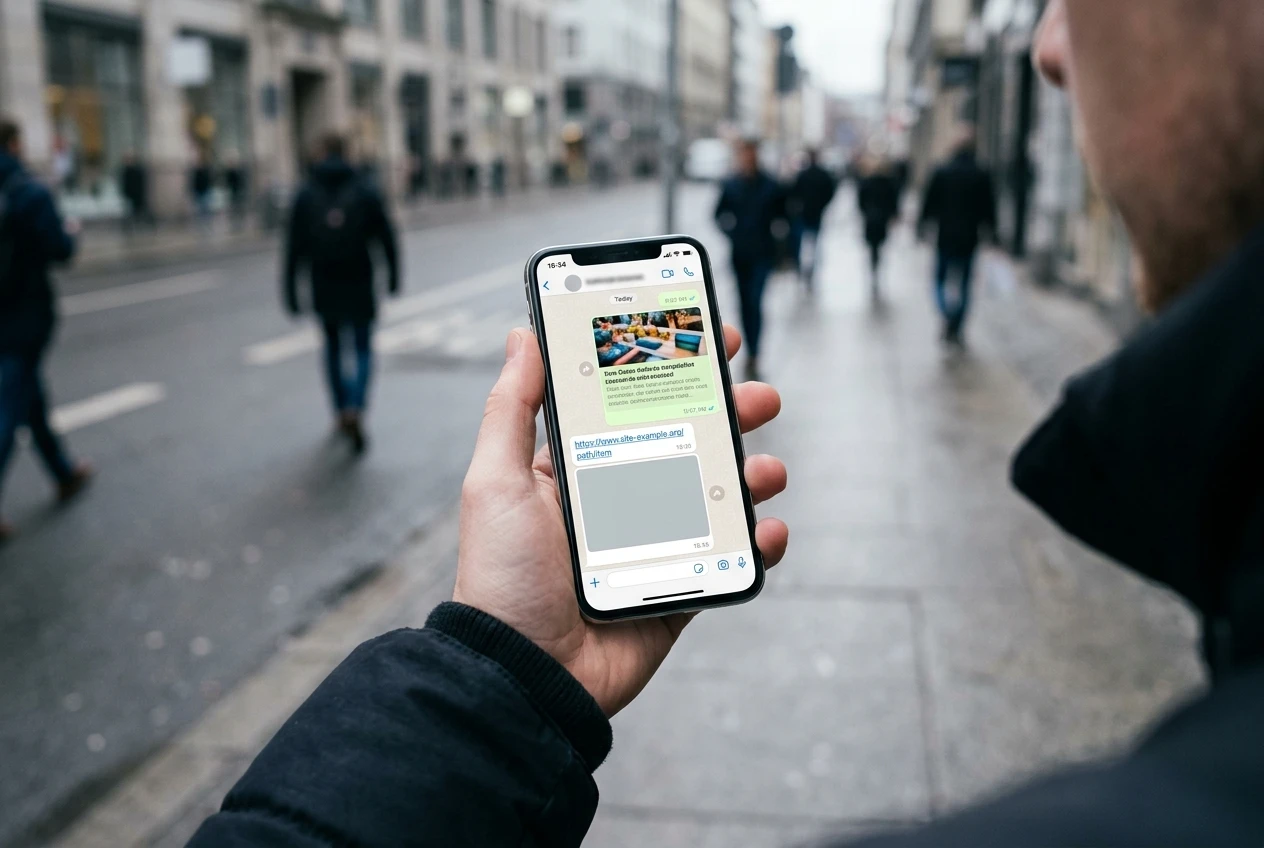
- The share preview. Paste your URL into a messaging app and a social composer. Check that the title, image and description look intentional. A broken or generic card gets ignored.
- The link itself. Does it resolve in one step, without a redirect chain or a 404 from an old campaign link?
- The first load on a phone. Does a cookie banner, pop-up or slow image sit between the visitor and the answer?
- The destination. Does the link land on the specific page, or dump people on the homepage to hunt for it?
Untagged links shared in private messages often show up as direct traffic in analytics. If your direct traffic is higher than you can explain, that is one possible reason, and it means part of your discovery is invisible to you.
Check whether the page keeps the promise that brought them there
Take the exact words the person saw before clicking, whether a headline, a question or a preview line, and read the top of the landing page as if you’d just arrived. Does it answer that promise within the first screen? If the search result said “how to run a discovery audit” and the page opens with three paragraphs of context, you’ve asked the visitor to re-decide.
This is where discovery meets trust, and I’ve covered the conversion side separately in why a page can rank and still not convert. For this audit, the check is narrower: does the first screen match the reason they clicked?
Turn findings into a short list: fix, test or leave alone
A long audit spreadsheet usually goes unread, so sort every finding into one of three buckets:

- Fix: objectively broken. A dead link, a missing preview image, a title that misdescribes the page, a redirect loop.
- Test: plausible but unproven. A rewritten title, a different opening paragraph, a new preview image. Change one thing, wait, and compare.
- Leave alone: real but low-impact, or tied to a route that carries almost no visitors.
Cap each bucket at a handful of items. If everything is urgent, nothing gets done.
Which tools earn a place in this audit, and where they stop being useful
- A crawler (Screaming Frog, Sitebulb and similar) finds broken links, redirects and missing titles quickly. It cannot tell you whether a title is appealing.
- Google Search Console shows the queries and pages you appear for, with impressions and clicks. It is the best evidence of the gap between being seen and being chosen. It only covers Google, though.
- Your analytics show which sources send visitors and where they leave. They cannot show people who saw you and never clicked.
- AI assistants are useful for checking how your topic gets answered. Their output varies, so don’t build a dashboard on a single run.
- Your own phone, on mobile data, in a private browser tab, is free and catches more first-impression problems than any paid tool.
Every tool here measures something that already happened on your side of the click. The before-the-click part still needs a person looking at what a stranger sees.
If you’d rather have a second pair of eyes on your own site, get in touch about a discovery audit, where I trace your journey from first sighting to landing and flag where people drop out.